For facade restoration contractors in NYC
One place for every facade job you run
From the engineer's drawings to the last signed inspection, every part of the job stays in order. Your office and your crews work from the same plan, and the building owner can check on progress whenever they like.

Local Law 11 and FISP Repointing and masonry Sidewalk sheds Supported and suspended scaffolds

Five sections, one for each part of the job
Every project has the same five sections, in the order the job runs, so your team always knows where to find the drawings, the next inspection or the latest change order. A new project opens with five steps that take you from the drawing set to a link for the owner.
3D · Site brief · Share · Weekly report
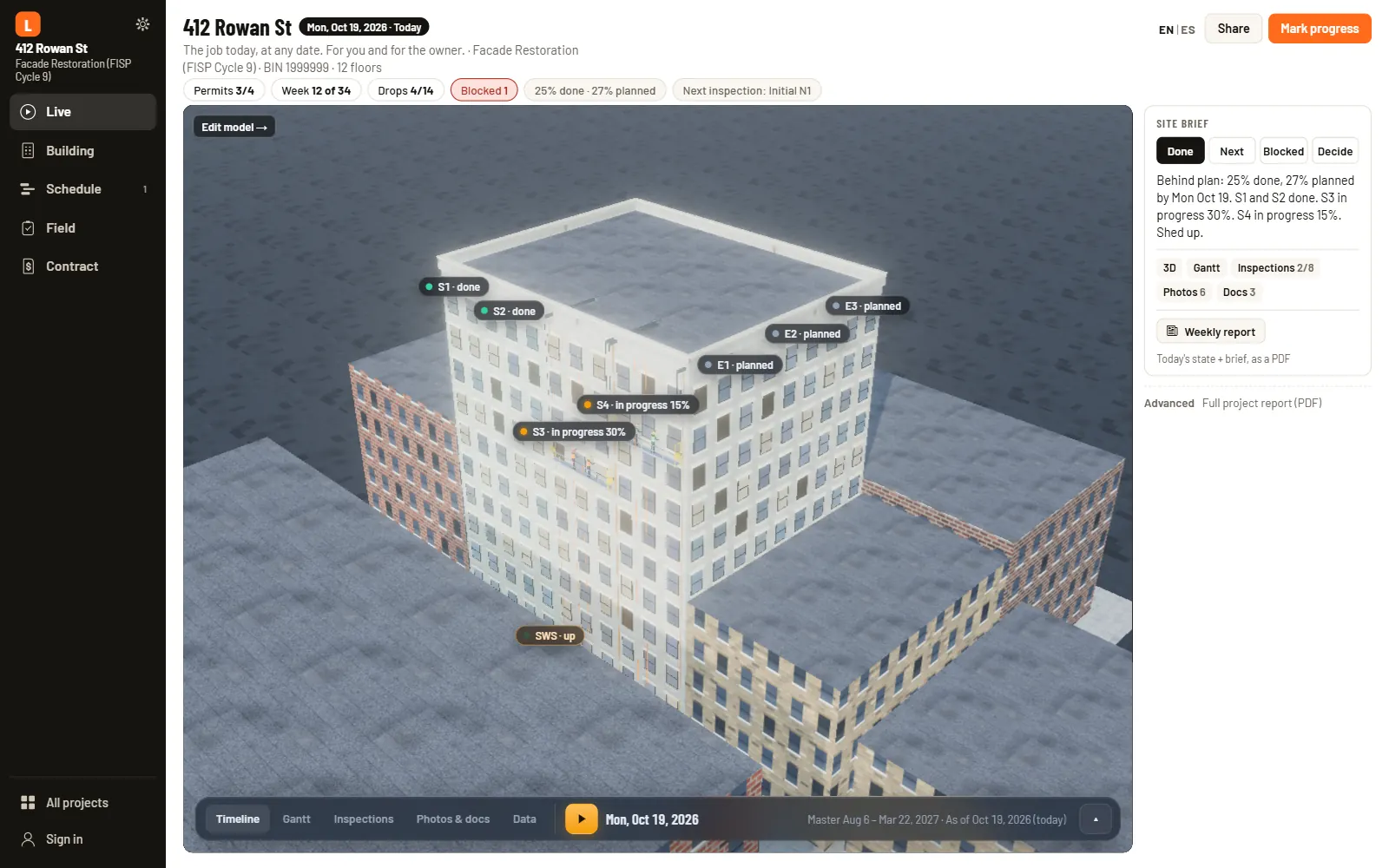
Walk the job in 3D, any day you choose
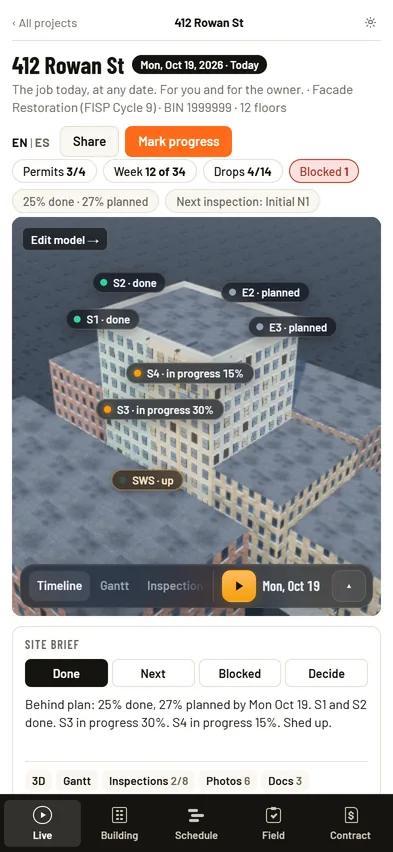
Live is where every project opens. Pick a date and you see the building as planned for that day: crews on the drops that are working, the sidewalk shed up, the roof protection in place and your team at the site office. It is the same view the owner gets from your link.
- A Play button that steps through the schedule one week at a time
- Light that follows the real time of day in New York, from the morning sun to the street lights at night
- A site brief that answers what's done, what's next, what's blocked and what needs a decision
Plans · Model · Files
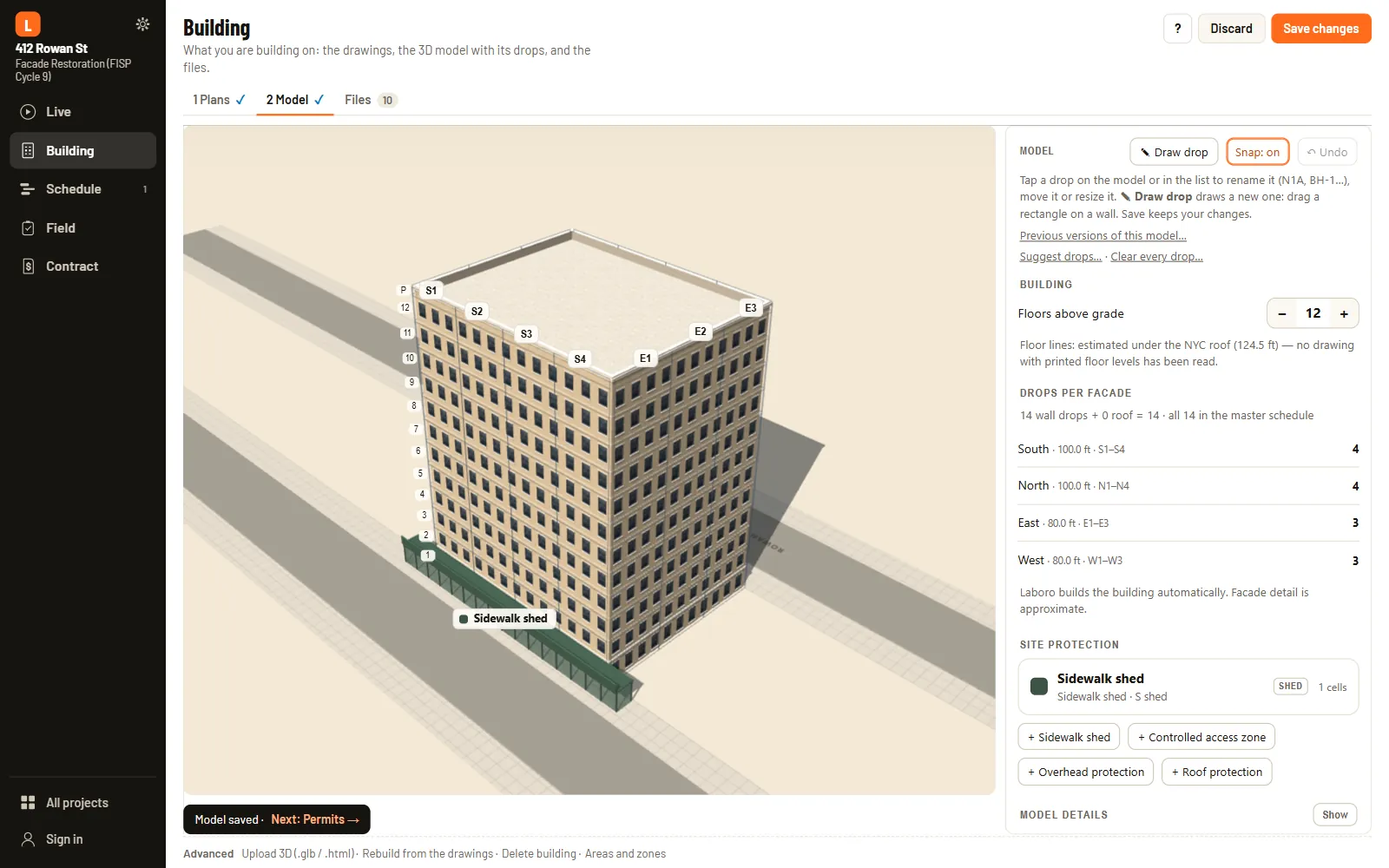
It all starts with the engineer's drawings
Upload the drawing set the way the engineer sent it. Laboro sorts the sheets into roof plan, elevations and details, builds the building in 3D from them and lays out the drops on the facade. You adjust the drops, add the sidewalk shed and the roof protection, and every file stays in the project's cloud folder.
- Sheets as sharp as the originals at any zoom, with a ruler to measure right on them
- A 3D model at true scale, with drops, sidewalk shed and roof protection you can move
- Every file in one place, with a switch to share any of them with the owner
Permits · Master · Next 2 weeks
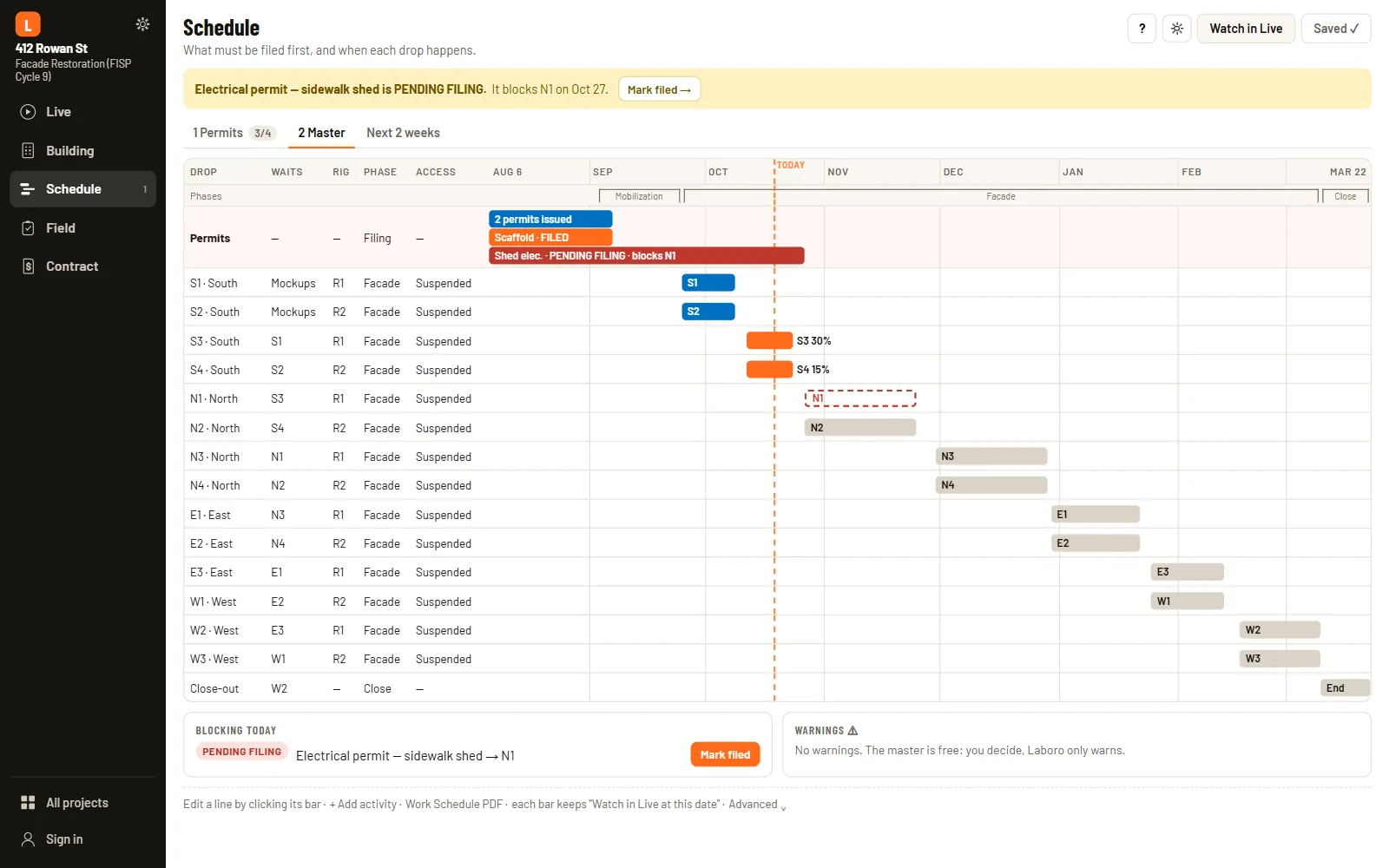
Permits first, then every drop week by week
The schedule opens with what has to be filed: DOB filings, work permits, the sidewalk shed and the special inspections, each with its status and dates. Answer a few questions about how you'll run the job and Laboro drafts the master schedule by drop, which you can change line by line.
- A permits row at the top of the master, so nobody forgets what holds the start
- A master schedule by drop, rig and phase that your whole team works from
- The next two weeks by zone, ready to print for the crew meeting
Inspections · Reports · Notes
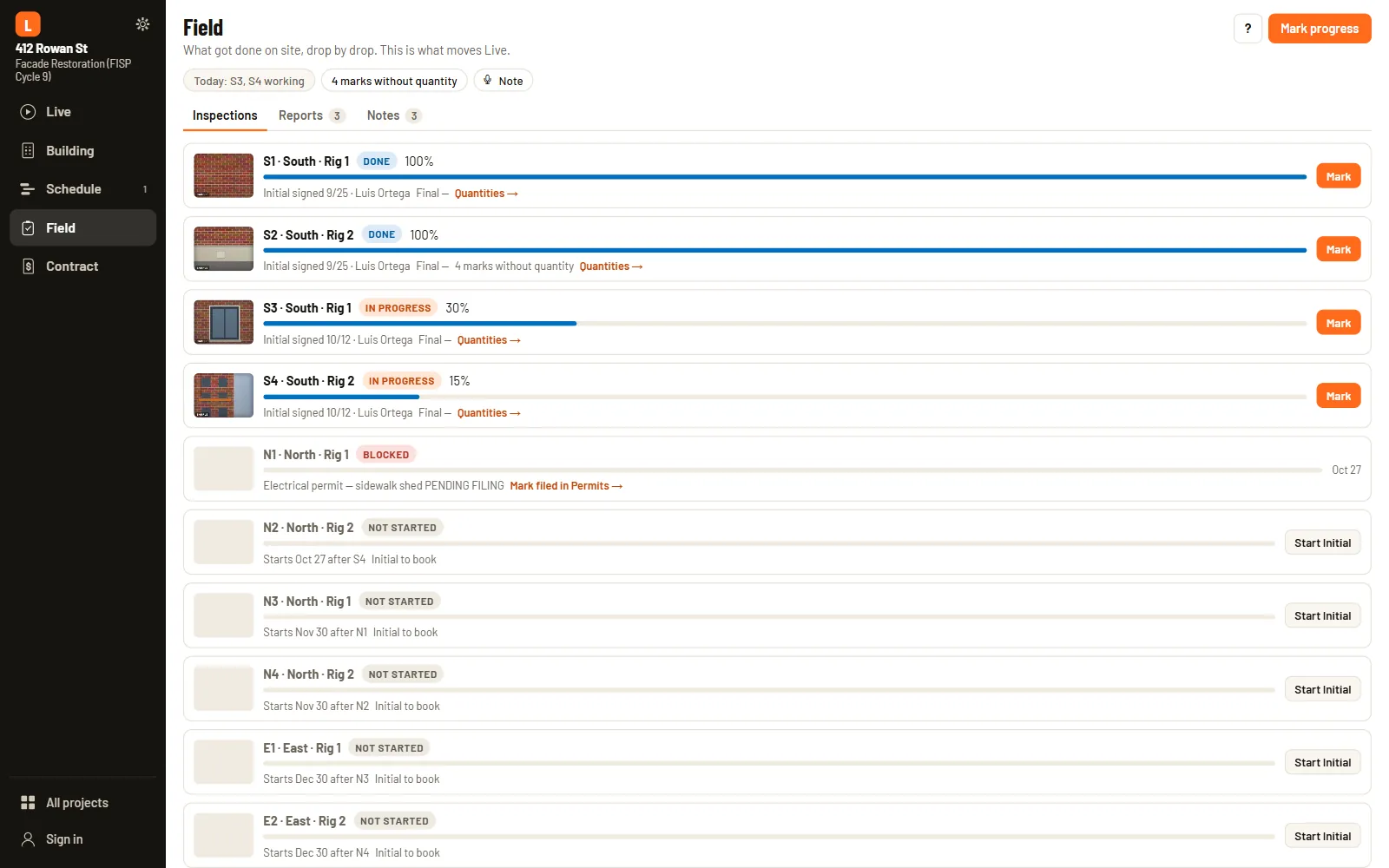
Record the work right where it happens
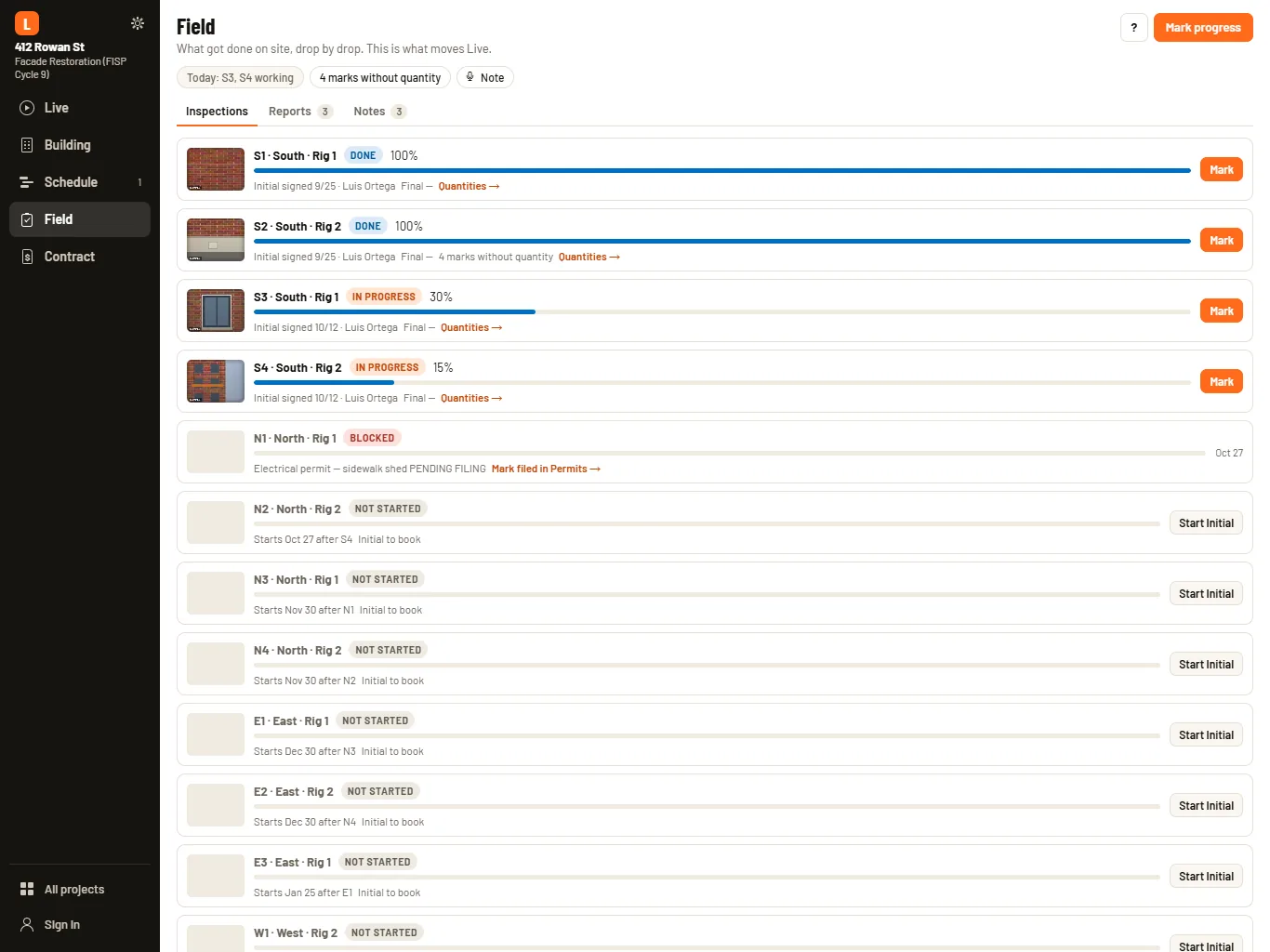
On site, your team works on the engineer's elevation sheets from an iPhone or iPad, drop by drop in schedule order. They mark the tags, add photos and quantities, and sign the initial and final inspections. What they record moves Live forward and fills in the contract numbers.
- A card for each drop with its status, progress and inspections
- Photo reports and notes, typed or dictated, tied to the drop and the day
- A link for the foreman, so the crew marks the work from a phone with no account
Bid form · Quantities & COs · Forecast
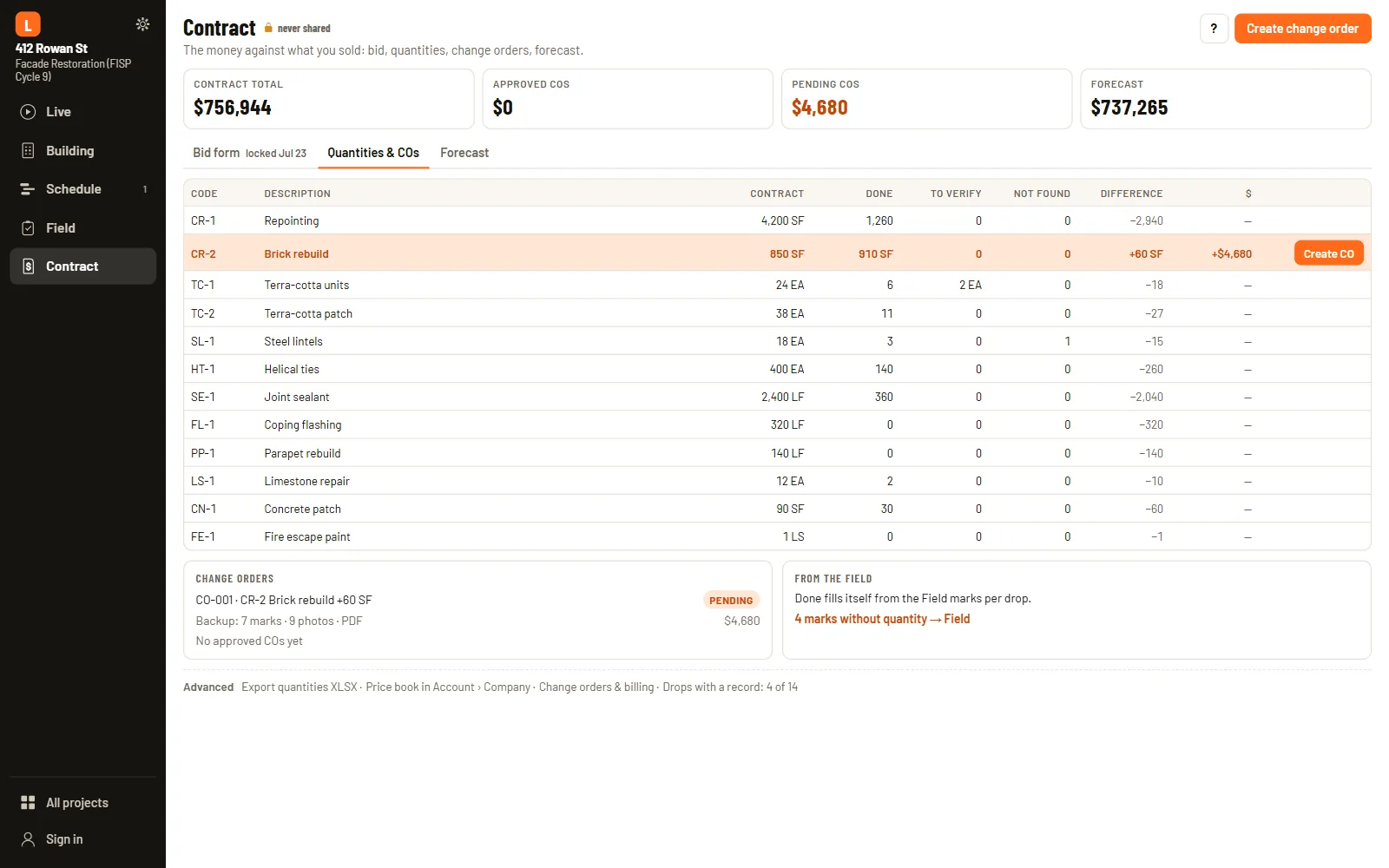
Contract numbers you can stand behind
Laboro puts what you sold next to what your crews recorded in the field. Lock the bid when the job is sold, watch the quantities fill in from the field marks, and turn the extra work into a change order with the photos already attached.
- A bid form that locks once the job is sold
- Change orders backed by the field marks and photos
- A month-by-month forecast next to the contract


Give the building owner a page of their own
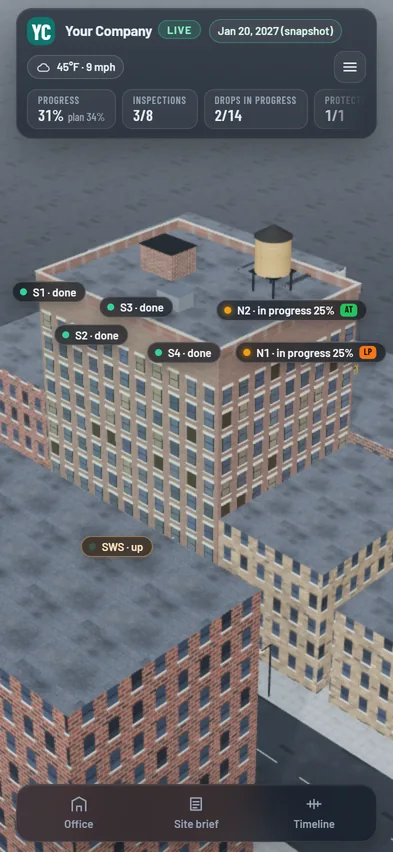
When the owner calls for an update, send the link. It opens the same Live you see, read-only, with your logo and colors. You choose what goes on it, check it with View as owner before you publish, and add a four-digit PIN if you like.
- The building in 3D with the drops in progress
- A brief on what's done, what's next and what needs a decision
- The photos you pick, and documents and signed inspections when you turn them on
- Your site team, with each person's name and role
- Your company's logo and colors, down to the sign on the site office
Every job's week in one report
From All projects, pick the jobs you want and Laboro puts together one PDF: a summary table, then a page for each job. Share it as a PDF or paste it into an email. Inside a project, Live makes the same report for that job alone.
- Where each job stands against the schedule, drop by drop
- The week's work with its photos, and what comes in the next two weeks
- Inspections, permits with their expiration dates, and the contract with its change orders

Your company, your people, your brand
Set up your company once and every project picks it up, from the people on the job to the logo the owner sees.
Team and roles
Invite your project managers and give each job its people. PMs and PM assistants work the same way, and the company owner and admins decide who gets in.
Site people
Add your superintendent, safety and a foreman for each crew, no Laboro account needed. They appear at the site office in Live and on the owner's page by name and role.
Company brand
Upload your logo and your two colors once. They show on the owner's page and on the site office and flag in 3D, on every job.
Three things that shape every New York job
Permits, weather and what turns up on the wall set the pace. Laboro keeps all three in front of you, from the first filing to the last change order.
Every drop waits for its permit
Permits and filings with the DOB and DOT sit at the top of the schedule. While one is still pending, Laboro tells you which drop it holds, so the dates you give the owner start from where the paperwork really is.
Every day's weather, on record
Laboro records the weather at the job every day and points out the days when wind or rain likely stopped the work. You decide which ones come off the calendar, and the record backs you up when the owner asks about delays.
Change orders with the proof attached
When the work runs past the contract, the change order starts from facts. It carries the tags, quantities and photos your crew recorded on the drop, which makes it easier to approve.
iPhone, iPad and the web, with one account
The same five sections on every device, so nobody learns the app twice. Your projects follow your account, and what the crew records on site shows up at the office too.
- iPhone: Live and Field in your pocket, with the camera and the microphone for reports and notes
- iPad: the drawings at full size on site, and room to edit the model and the master
- Web: the whole job on a big screen, from the bid form to the weekly report

Plans for one job or a whole company
Choose a plan by how many jobs you run at once. Each one includes monthly usage for the drawings and documents Laboro reads for you, and you always see the cost first.
Company plan. Teams with three or more project managers pay $149 per PM a month.
Yearly billing. Pay for the year and get two months free, which comes to $490, $990 or $1,990 a year.
Usage packs. Subscribers can add $25, $50 or $100 of extra usage, and the credits never expire.
Storage and tax. Standard and Pro can add 500 GB for $20 a month, and all prices are before sales tax.
The NYC rules every facade PM runs into
Clear guides to Local Law 11, FISP Cycle 10, shed permits, scaffolds, TR1 and more, written for the people who run the work. In the app, each permit opens its own guide.
Common questions
Does Laboro replace the RDP or the engineer?
No. The RDP still seals the TR1 and the TR8. Laboro helps you with your side of the job, so inspections are coordinated, the work is ready when the engineer arrives and the package you hand over is complete.
What does the building owner see?
The same Live you see, read-only, with your logo and colors and a four-digit PIN if you like. You choose what's on it: the building in 3D with the drops in progress, a short brief, the photos you pick, and documents and signed inspections when you turn them on. Your site team appears by name and role.
Where do I find the weekly report?
In All projects, next to New project. Pick the jobs and you get one PDF with a page for each. Inside a project, Live makes the same report for that job alone.
Can I look around before I set up a job?
Yes. The sample project, 412 Rowan Street, is the first card in All projects. It is a fictional job under way that you can click through in a minute. The 3D at the top of this page is the same building, a few months further along.
Do my foremen need an account?
No. Send the foreman the link for a drop and the crew marks the work from a phone. Your superintendent, safety and foremen can also be listed as site people without an account.
Which devices does Laboro work on?
iPhone, iPad and the web, all with one account and the same five sections. Field is made for the iPhone or iPad your team carries on site. The 3D model and the master schedule are edited on an iPad or the web, and you can look at them on an iPhone.
How accurate is the 3D?
Accurate enough to plan the drops, the sidewalk shed and the protection. When it is built from your drawings, it uses the architect's elevations at true scale. It is made for planning, and the construction documents still govern the work.
Where does the weather information come from?
From the National Weather Service, using its public data for the job address. Laboro saves it every day and points out the days that likely stopped the work, but nothing comes off the calendar until you say so.
Bring your next facade job into Laboro
Create a project, upload the drawing set and see your building in 3D. If you'd rather look around first, the sample job is open to anyone.